

WOOTHEMES HUSTLE WOOCOMMERCE THEMES
The Hustle theme includes support for WooCommerce, Features and Testimonials plugins.Note:This product has been retired and is not for sale. Documentation is no longer being updated.
Installing your Theme
To learn how to install your theme, please see our documentation at: Installing a Theme
Checking your theme version
You can confirm your theme and WooFramework version by going to: Hustle > Framework
Activate your Theme Key
After installing the theme, activate your theme key by downloading and installing the WooCommerce Helper plugin. This will verify your site when contacting support and enable 2-click updates for quick theme upgrades.
Updating your theme
It’s very important to ensure you have the latest version of the theme at all times. This is the best way to proactively troubleshoot issues on your site.Please see WooCommerce Helper Documentation to learn more.
Menus
There are two menu locations included in this theme:
- Primary Menu – The menu that sits below your logo.
- Top Menu – The smaller menu area at the top of the theme.
To set up your menus go to: Appearance > Menus
Set Up the Header
The header consists of your logo or site title, primary navigation and a cart icon (for WooCommerce).
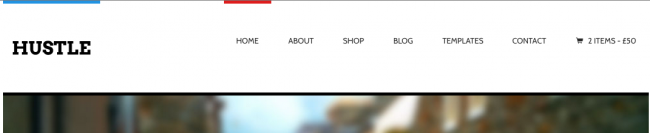
Custom Logo
To set a custom logo image, go to:
Hustle > Settings > General Settings > Quick Start > Custom Logo
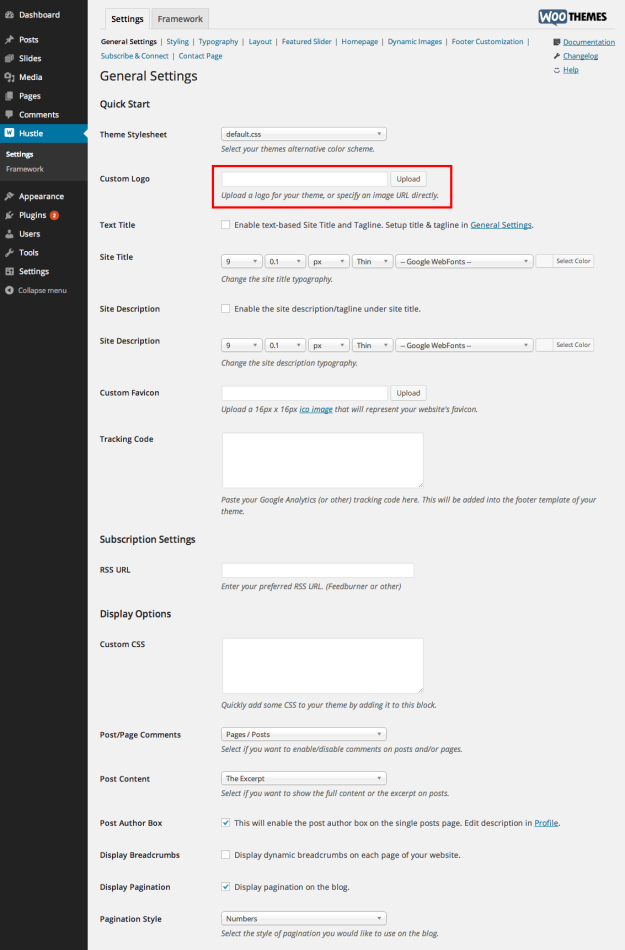
- Upload your logo image by clicking on the Upload button.
- Upload your logo file – a .png or .jpg is preferred
- Select the Use this Image button.
- Then Save All Changes in your theme settings.
Show Cart in Header
To enable the cart, go to:
Hustle > Settings > WooCommerce > General
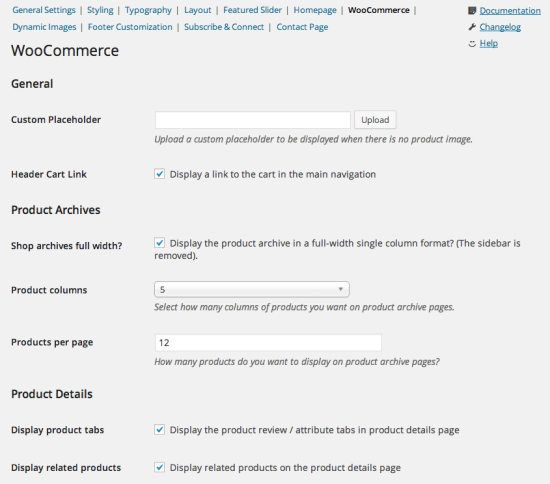
- Enable or disable to suit your preference.
- Save All Changes in your theme settings.
Set Up the Homepage
In the homepage options you will find settings to control the introductory message, blog posts, promotion area and featured products, if you’re running WooCommerce. Hustle also supports the Features and Testimonial plugins.
Once you’ve created a page and set it to use the Homepage template, you’ll need to tell WordPress to use it as your site’s homepage. Navigate to Settings > Reading in the dashboard. In the “Front page displays” section check the “static page” option and select the page you just created from the dropdown then save the settings.
To enable or disable what you want to show on the homepage go to:
Hustle > Settings > Homepage > Homepage Setup.
Introductory Message
You can write a welcome message that will appear front and center on your site by enabling it in your Theme Settings. You can also provide a link and background image for the introductory message.
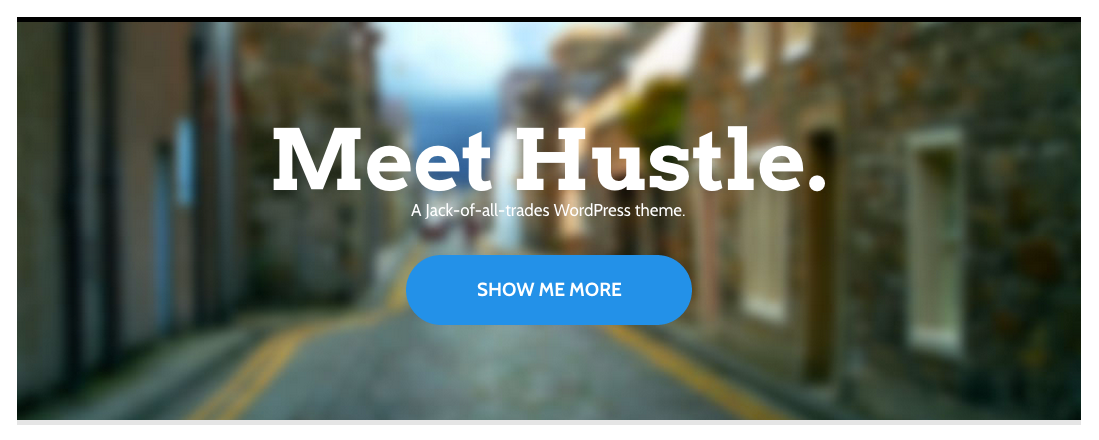
To set your introductory message, go to:
Hustle > Settings > Homepage > Introductory Message
WOOTHEMES HUSTLE WOOCOMMERCE THEMES Featured Products
To show Featured Products, you need to install the WooCommerce plugin, set up products, and mark them as featured.
To enable Featured Products, go to:
Hustle > Settings > Homepage > Featured Products
- Choose the number of products you want to show.
- Title the featured product section for your homepage.
- Save All Changes in your theme settings.
To set a featured image for your products, review How to Set a Featured Image.
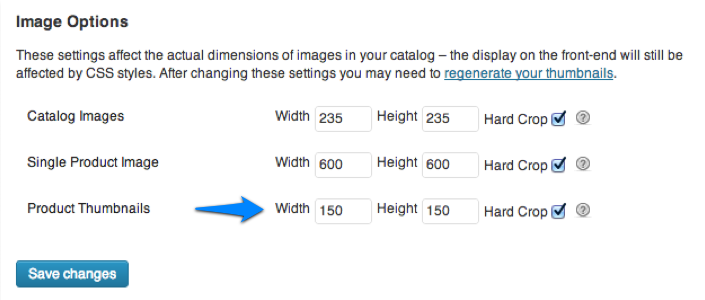
Your product image thumbnail settings must have the same width and height and be set to hard crop in WooCommerce > Settings > Catalog for the product images to be perfectly centered. If you change these settings, you must run the Regenerate Thumbnails plugin to re-save your images to the correct proportions.
Set Up the Slider
Hustle has a built-in featured slider that uses the “Slides” custom post type for the content. However, the slider is positioned differently than you might expect. If enabled, it will show beneath the featured products, and also in features if those are enabled.
To set up the slider, go to:
Hustle > Settings > Featured Slider > Slider Content
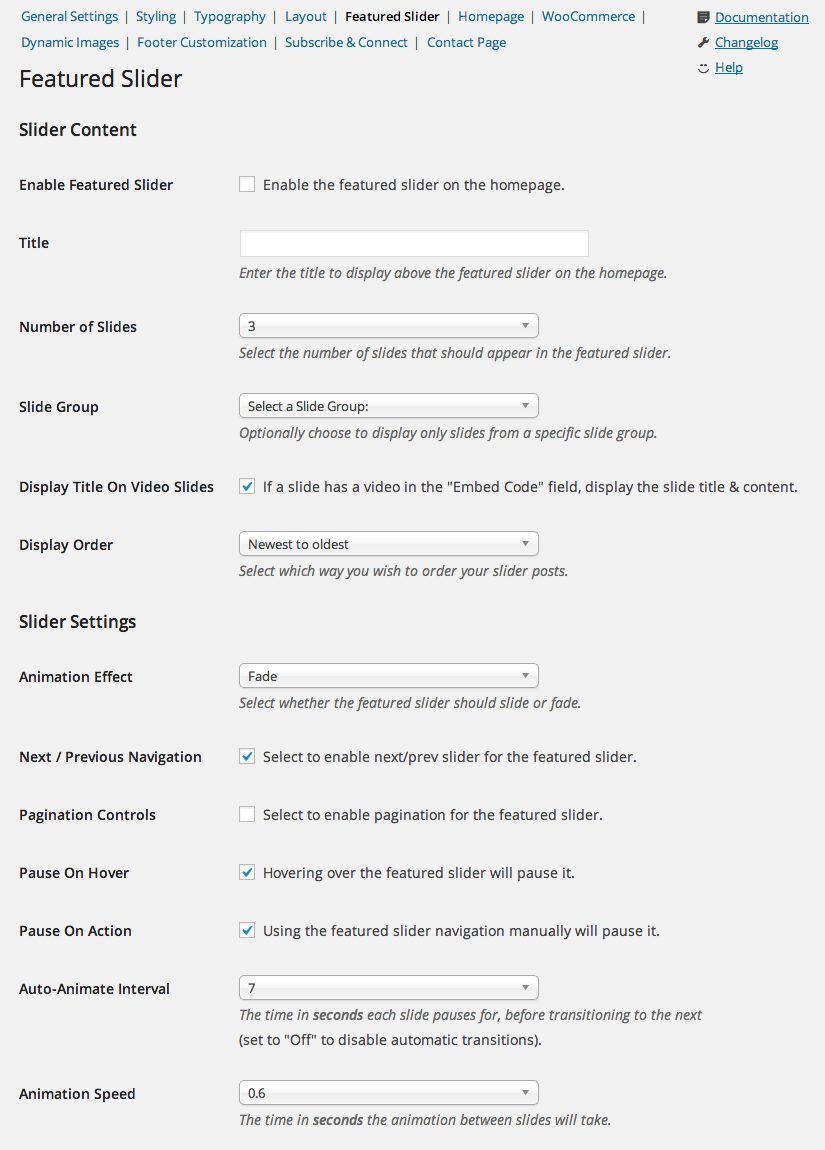
- Enable or disable the slider at the top.
- Choose the number of slides you want to show.
- Choose a slide group, if using our WooSlider plugin, to display on the homepage.
- Save All Changes in your theme settings.
To view additional featured slider settings, go to:
Hustle > Settings > Featured Slider > Slider Settings
To create a New Slide for the featured slider, go to:
Slides > Add New

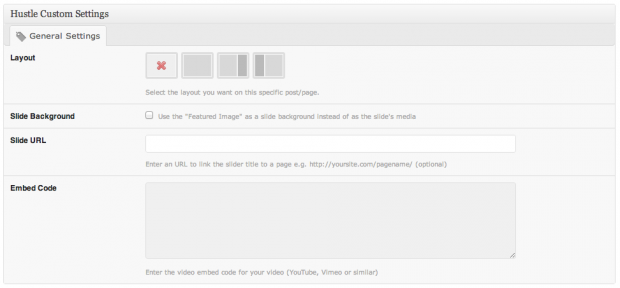
- Add a title and content to your slide post.
- Add a featured image.
- You can add a video directly to your content, or use the embed field.
- Enable the Slide Background checkbox to display the slide text as an overlay on the image.
Blog Posts
To include blog posts on the homepage, go to:
Hustle > Settings > Homepage > Blog Posts
- Select the number of posts to display.
- Enter the title of your Blog Area section.
- Optionally select a category of posts to display, if the content type is set to “Blog Posts.”
- Save All Changes in your theme settings.
Promotion
Create a short promotional message and add a link to it on your homepage. You could use this for a giveaway on your blog, to show off your latest portfolio post or announce the newest products you’ve added.

To enable the promotion message, go to:
Hustle > Settings > Homepage > Promotion
- Write a title for the promotion.
- Write a short description about the promotion.
- Label the button.
- Paste the URL that the button should link to.
- Save All Changes in your theme settings.
Homepage Features
To activate Features, you need to install the Features by WooThemes plugin. Once the plugin is installed, go to Hustle > Settings > Homepage > Features to set these options:
- Select the number of features to display.
- Set the title for the features section.
Homepage Testimonials
To activate Testimonials, you need to install the Testimonials by WooThemes plugin. Once the plugin is installed, go to Hustle > Settings > Homepage > Testimonials to set these options:
- Select the number of testimonials to display.
- Set the title for the testimonials section.
Widgetized Homepage
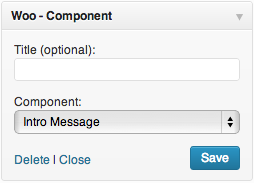
Customize the layout of sections on the homepage by using the Woo – Component widget and the Homepage widget area.
Drag the Woo – Component into the Homepage widget area for each section you want to add to the homepage.
If you’d like to display Features or Testimonials in this widget region, use the dedicated widgets called Features and Testimonials respectively.
Set Up the Features
[insert name=”features-plugin”]
Set Up the Testimonials
[insert name=”testimonials-plugin”]
Custom Hustle Widgets
The theme includes 7 custom widgets that can be added to any widgetized region. Hustle also includes styling for many of our WooDojo widgets.
Custom Woo widgets included are:
- Woo – Adspace
- Woo – Search
- Woo – Flickr
- Woo – Blog Author Info
- Woo – Embed/Video
- Woo – Subscribe/Connect
- Woo – Component
To learn more about how to add Widgets, see our tutorial at: How to Add Widgets
Click here to download WOOTHEMES HUSTLE WOOCOMMERCE THEMES
